ConstraAP · AI accounts-payable software Less chasing. More approving.
For accounts payable and project accounting at general contractors and developers running several active projects at once.
The work behind the work
Sound familiar?
Retyping invoices
Totals, vendors and cost codes get typed by hand into the accounting system, line after line.
Chasing clearance letters
WorkSafeBC letters, declarations and insurance certificates go missing before every draw.
Approvals that stall
A reviewer waits on someone to find the right attachment before they can decide.
How ConstraAP works
From input to next step.
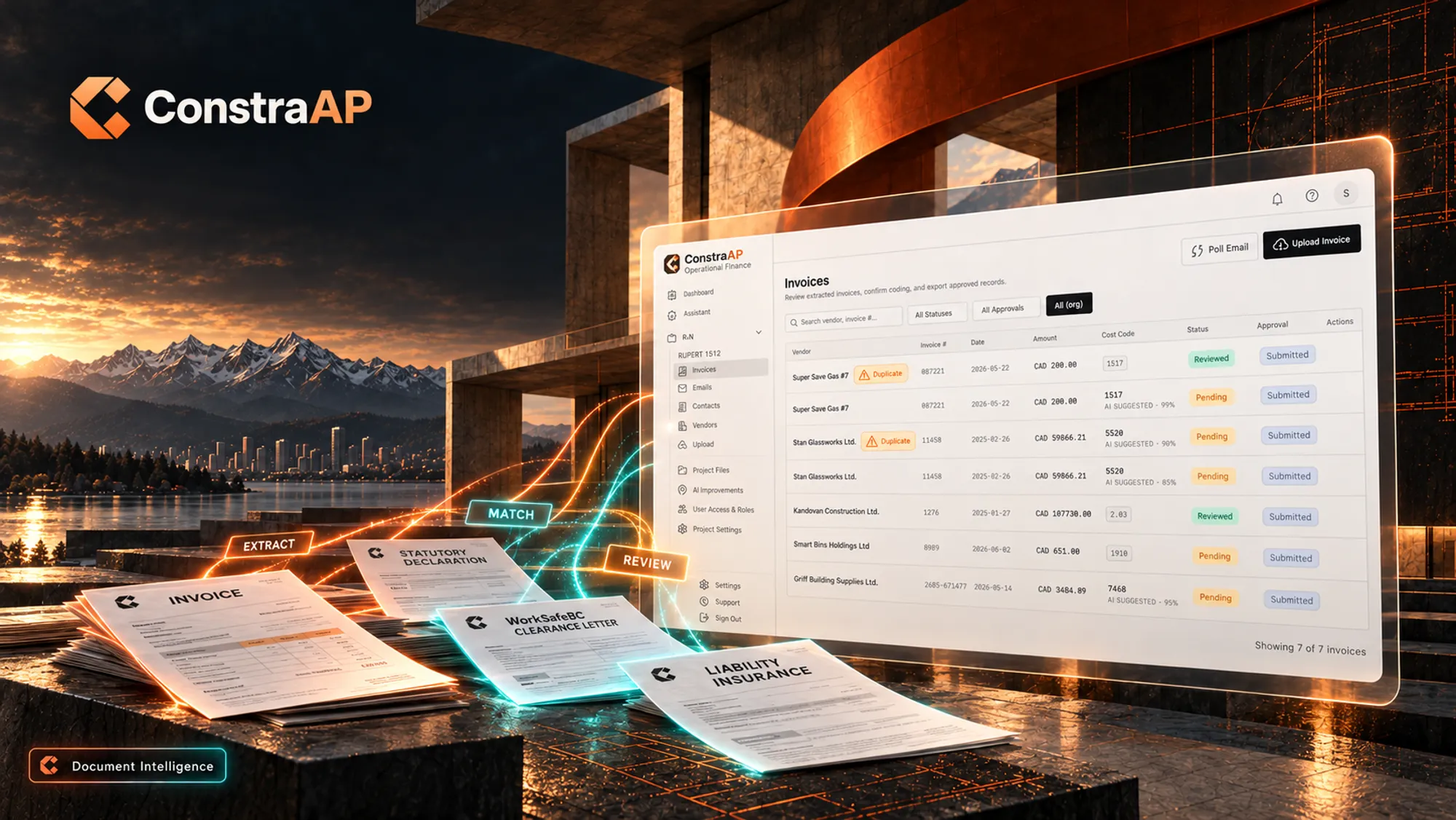
Extract
Upload or forward the document. Fields, totals, vendor and dates are pulled out automatically.
Match
Each field is matched to the project account, the vendor and the supporting documents.
Review
Your reviewer sees the package with checks flagged, then approves it or sends it back.
The workflow, in motionIllustrative example
The details, taken care of.
Invoice field extraction
Vendor, invoice number, dates, amounts and cost codes read from PDFs and scans.
Statutory declarations
Declarations are captured and tied to the draw they support.
WorkSafeBC clearance tracking
Clearance letters are logged and flagged when they are missing or expired.
Insurance capture
Liability insurance certificates are recorded against the vendor.
Inside ConstraAP.


Also from ConstraLabs
Questions
What documents does ConstraAP read?
Invoices, statutory declarations, WorkSafeBC clearance letters and liability insurance certificates. Each one is extracted, matched and queued for review.
Does ConstraAP approve invoices automatically?
No. AI checks each package and flags issues. Your team approves or sends it back.
Does it replace our accounting software?
No. ConstraAP prepares documents for review and connects to your existing tools through MCP and APIs.
Is it built for British Columbia?
Yes. Document types follow BC construction practice, and our customers are general contractors and developers in Vancouver and Victoria.
Good work starts
with a conversation.
Bring an invoice, a bid package or a few site photos. We’ll walk through what your team could do with them.